Designcenter -
Solid Edge 2026
Designcenter Solid Edge 2026 potenzia l'intero processo di sviluppo prodotto grazie a strumenti avanzati basati su Intelligenza Artificiale, visualizzazione immersiva e soluzioni cloud flessibili. La nuova release introduce comandi intelligenti come Magnetic Snap Assembly, la generazione automatica delle tavole 2D (Automatic Drawing) e il Copilot integrato in Designcenter X Solid Edge, oltre alla revisione immersiva dei progetti tramite il nuovo comando Walkthrough.
Le funzionalità avanzate per lamiera, messa in tavola e modellazione delle parti rendono i flussi produttivi più rapidi e accurati. Con le opzioni di licensing value-based e la piena interoperabilità dei dati, Designcenter Solid Edge 2026 permette di scalare le funzionalità, collaborare a livello globale e progettare con maggiore agilità e continuità.
Testimonianze
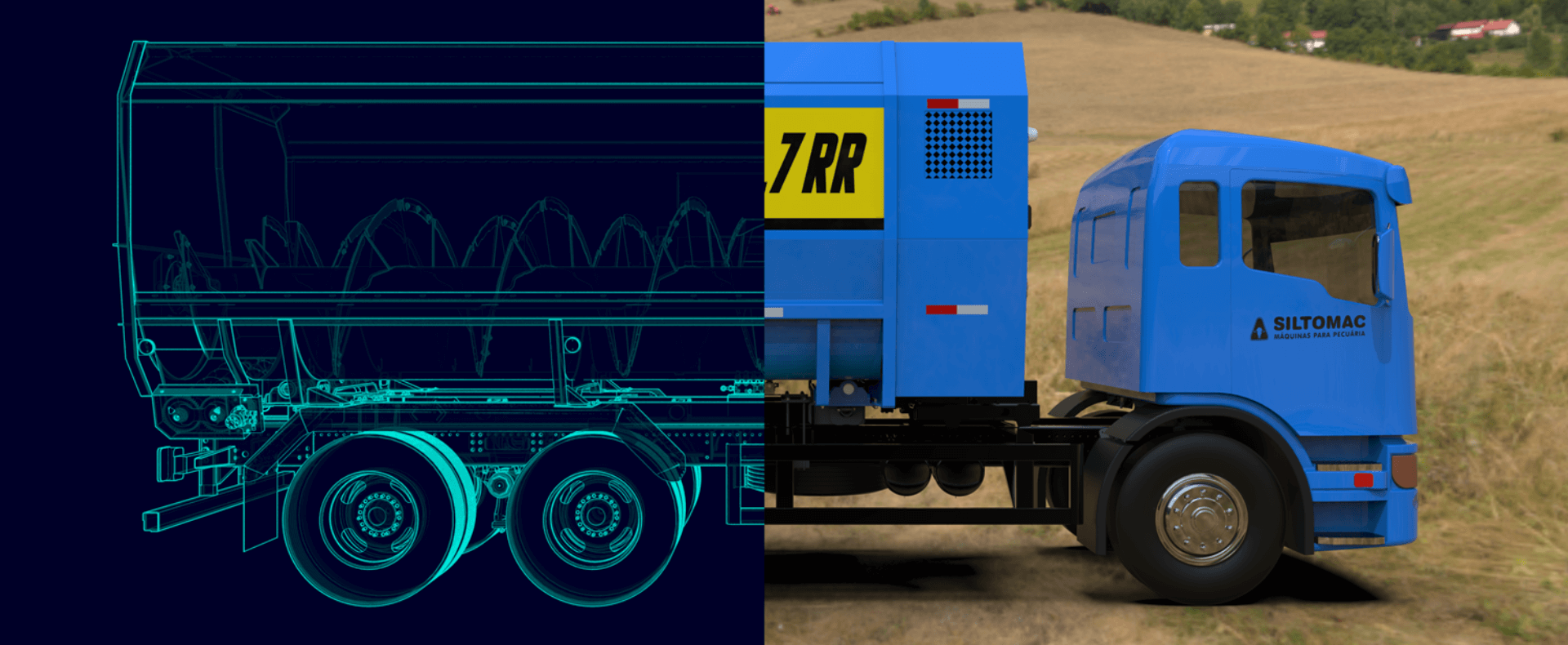
Con ogni nuova versione, Solid Edge diventa più intelligente, più connesso e più in linea con il nostro modo di progettare. Si evolve insieme a noi e ci aiuta a rimanere all'avanguardia nell'innovazione nel settore agricolo.
Guilherme Rossi, Siltomac
Un’interfaccia rinnovata e più intelligente
Solid Edge 2026 introduce una nuova esperienza utente, progettata per migliorare la produttività quotidiana:
- Modalità scura (Dark Mode) per ridurre l’affaticamento visivo
- Icone vettoriali scalabili in formato SVG
- Nuove barre comandi verticali ridisegnate
- Comandi Show/Hide con funzione Undo/Redo
- Colonne configurabili per la gestione avanzata delle librerie
Le impostazioni dell’ambiente utente vengono ora salvate nel cloud, permettendo di ritrovare la propria configurazione personale su qualsiasi dispositivo.
Designcenter X: progettare ovunque, collaborare in tempo reale
Designcenter Solid Edge 2026 è nativamente integrato con Teamcenter X, la piattaforma cloud di Siemens per la gestione del ciclo di vita del prodotto. Questo significa:
- Accesso ai dati sempre disponibile, anche in ambienti ibridi o remoti
- Licenze utente nominali e controllo centralizzato
- Gestione integrata di revisioni, workflow e rilascio documenti
- Protezione della proprietà intellettuale con condivisione selettiva
In pochi minuti è possibile avviare un ambiente di lavoro completamente cloud, collaborativo e sicuro.
Model Based Definition
 Velocizza e semplifica la creazione della definizione basata sul modello MBD
I miglioramenti nella Definizione Basata su Modello (MBD) offrono strumenti avanzati per dettagliare i modelli 3D in modo più preciso ed efficiente. Grazie alle nuove annotazioni ibride, è possibile inserire dimensioni e cornici di controllo delle caratteristiche nei disegni con un flusso di lavoro integrato e ottimizzato. Le cornici di controllo delle caratteristiche e i simboli aggiornati della texture di superficie permettono agli utenti di aderire agli standard in continua evoluzione, mentre la funzionalità di quotatura automatica è stata ampliata per garantire ulteriore coerenza e minimizzare gli errori.
AI e automazione: disegna meno, progetta di più
Solid Edge 2026 sfrutta algoritmi intelligenti per velocizzare operazioni chiave del lavoro quotidiano:
- Magnetic Snap Assembly con AI per accoppiamenti rapidi
- Generazione automatica di disegni 2D da modelli 3D
- Riconoscimento automatico dei fori per le lavorazioni CAM
- Suggerimenti intelligenti nelle operazioni di fresatura
La progettazione diventa più fluida e il lavoro ripetitivo viene drasticamente ridotto.
Riutilizzo e migrazione dei dati
Designcenter Solid Edge 2026 semplifica il riutilizzo, la condivisione e la migrazione dei dati di progettazione, indipendentemente dalla loro provenienza o destinazione. Importa modelli architettonici da Autodesk Revit, esporta solo la geometria necessaria per proteggere la proprietà intellettuale e semplifica la fabbricazione dell'acciaio con l'esportazione diretta DSTV.
Per i team che stanno passando da altri sistemi CAD, la nuova integrazione con Elysium CADFeature garantisce una migrazione dei dati ad alta fedeltà con controlli di qualità integrati. Che tu stia collaborando tra diverse discipline o trasferendo decenni di dati legacy, Designcenter Solid Edge ti offre gli strumenti per rimanere connesso, preciso e in controllo.
Moduli avanzati per simulazione, CAM e configurazione prodotto
La suite Designcenter Solid Edge 2026 include moduli opzionali attivabili tramite token (licenze a valore):
- Solid Edge CAM Pro: lavorazioni automatiche, suggerimenti intelligenti e miglior supporto macchina
- Solid Edge Simulation: miglioramenti nelle mesh, nei controlli di qualità e nei risultati visivi
- Design Configurator: configurazione automatica dei prodotti con regole parametriche
- Moduli aggiuntivi: Piping Design, DSTV Export, MBD, Automatic Drawings, Inspector
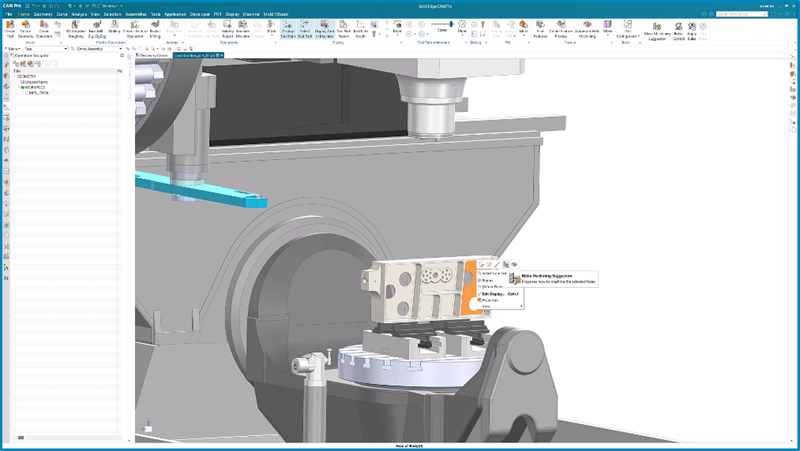
Solid Edge CAM Pro automatizza la programmazione CNC grazie a suggerimenti intelligenti basati sul comportamento dell’utente, lavorazioni automatiche sui fori e consapevolezza dei limiti macchina, garantendo un’esecuzione ottimale in officina.
Gestione evoluta degli assiemi: più flessibilità, meno complessità
La gestione di assiemi complessi è diventata più semplice. È possibile creare più configurazioni di visualizzazione senza duplicare i file, in modo da poter passare rapidamente da una vista all'altra per la revisione dei progetti o la documentazione.
Gli strumenti avanzati di copia delle parti semplificano il riutilizzo preciso della geometria, mentre le nuove opzioni di esplosione della vista aiutano a scomporre gli assiemi per una migliore comunicazione e pianificazione.
Questi aggiornamenti offrono maggiore flessibilità e controllo, consentendo di lavorare in modo più rapido ed efficace dall'ideazione alla realizzazione.
Realizza lamiere più intelligenti e progetta componenti migliori
Dalla modellazione di parti di precisione alla preparazione della lamiera per la produzione, i nuovi miglioramenti consentono di progettare con rapidità e sicurezza. È possibile creare giunti ad incastro in pochi secondi utilizzando l'automazione tab-and-slot. Genera rapidamente elementi a pareti sottili con i controlli integrati dello spessore delle pareti nei principali comandi di modellazione.
Il supporto ampliato per l'incisione e il taglio più intelligente delle flange semplificano la definizione dei dettagli e migliorano la producibilità. Inoltre, con il nuovo strumento Modello di riempimento, puoi applicare facilmente elementi ripetuti alle superfici, sia che tu stia simulando texture o riducendo il peso.
Entra nel tuo progetto per una prospettiva completamente nuova
Con il nuovo comando Walkthrough, puoi navigare negli assiemi come se fossi davvero lì, utilizzando la tastiera, il mouse o persino un controller Xbox®. Esplora modelli di grandi dimensioni da una prospettiva in prima persona, acquisisci percorsi di volo e riutilizzali nelle animazioni o nelle presentazioni agli stakeholder.
Che tu stia revisionando layout complessi o mostrando il tuo lavoro, Walkthrough trasforma ogni revisione di progetto in un'esperienza coinvolgente e interattiva, senza bisogno di strumenti aggiuntivi.
Versioni disponibili: scegli la configurazione più adatta
Designcenter Solid Edge 2026 è disponibile in tre versioni modulari:
- Standard: modellazione solida, assiemi, lamiera, disegni 2D e cloud workspace
- Advanced: reverse engineering, generative design, cost analysis
- Premium: simulazione, routing elettrico, point cloud
Le versioni possono essere ampliate con token VBL per attivare ulteriori funzionalità secondo necessità.
Il futuro della progettazione passa da qui
Designcenter Solid Edge 2026 è più di un aggiornamento: è un ecosistema digitale completo per progettare meglio, collaborare ovunque e innovare con intelligenza.
Contattaci per scoprire le nuove funzionalità e richiedere una demo.