
Solid Edge thanks to its technical publications module offers you the possibility to create interactive and effective technical documentation
The ability to clearly communicate proper manufacturing, installation, and maintenance procedures is essential to both product performance and business success. Using the technical publication solutions of Solid Edge, designers can easily create illustrations for end-user manuals or interactive 3D technical documents for production and support.
With these tools, it becomes possible to reduce the need for specialized technical authors or external services and to produce high-quality documents in-house, saving time and reducing costs.
Solid Edge Illustration
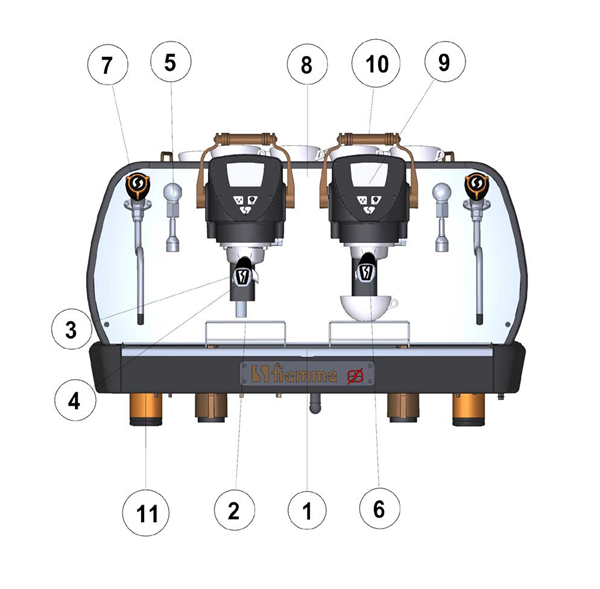
It allows you to create custom parts lists and animated instructions, with the ability to generate vector elements or raster graphics, as well as PDF or HTML5 files. Solid Edge section views can also be imported and exported. Documentation layouts can be quickly defined through the use of associative templates.
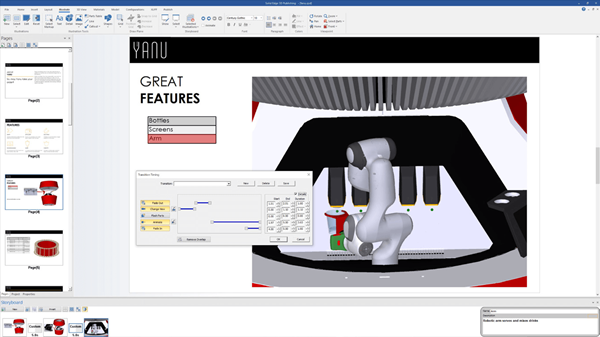
Solid Edge 3D Publishing
It makes it easy to create technical documents (catalogs, maintenance documentation, manuals) printed or interactive by directly inserting 3D CAD models from Solid Edge or other CAD solutions into documents.
Why use Solid Edge for technical publications?
- Easily create images and multi-page technical documents, directly from Solid Edge.
- Start earlier than in the past the process of creating technical documentation.
- It eliminates the need for specialist technical authors or outside services.
- Communicate more easily with your customers.
- Quickly update documentation when drawings change.
- Reduce errors when creating your documentation, thanks in part to the integration with Teamcenter PLM that allows you to access the data you are looking for securely and without the possibility of error.
FAQ
It is the Solid Edge module for creating technical documentation directly from 3D models: it includes Solid Edge Illustration, for technical illustrations and animated instructions, and Solid Edge 3D Publishing, for printed or interactive technical documents with embedded 3D models.
Solid Edge Illustration is used to create technical illustrations, custom parts lists and animated instructions, with associative templates for quickly defining layouts. Solid Edge 3D Publishing is used to compose complete multi-page technical documents, such as catalogs, manuals and maintenance documentation, inserting 3D models directly.
Solid Edge Illustration exports vector or raster elements, PDF and HTML5 files, so that documentation can be distributed both in print and in an interactive format viewable in a browser.
Yes. Solid Edge 3D Publishing lets you insert 3D models created in Solid Edge or in other CAD systems into documents.
Yes. Integration with Teamcenter PLM provides secure access to design data and ensures the correct version of the models is always used, reducing errors in documentation.
Request more information or your custom quote