
Teamcenter PLM helps companies optimally manage product information through Multi-BOM management.
Increasing competitiveness and the demand for more innovative products require managing ever more complex bill of materials definitions. Therefore, software tools that handle this complexity quickly and dynamically are essential.
Teamcenter and the Integrated Management of Data and Processes
In Teamcenter Data management integrates with process management, allowing the creation of a preventive planning platform based on available options and features.
Teamcenter PLM from Siemens Digital Industries Software helps you understand your product by allowing all users to have a source of information on the BOMs ( BOM ) common to the entire organization.
The advantages of using Teamcenter Multi-BOM
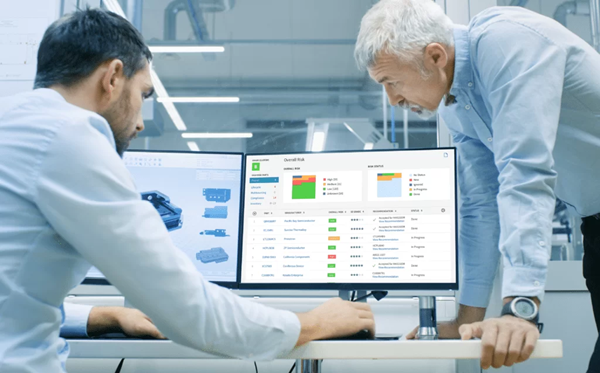
- Flexible BOM management and configuration strategy thus creating a single, accurate product definition for everyone interacting with the BOM, eliminating the need for spreadsheets and siloed systems and supporting the entire scope of product configuration
- BOM Change Management allows you to track changes as they are made and provides detailed change contexts for analysis and validation
- Ability to consult and filter huge amounts of data in order to isolate those necessary to complete a specific task, displaying the information in simple and immediately understandable ways
- Ability to interact with an accurate and aligned 3D representation of the BOM without asking a designer or being a CAD expert. This visual representation helps with clear communication, resulting in fewer errors
Create links between the product BOP and the plant BOP
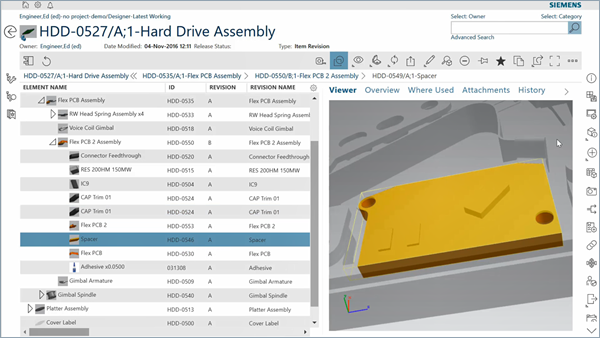
The functionality of Teamcenter PLM for the management of production bills of materials (BOM) and process bills of materials (BOP), it allows you to configure the product bill of materials and the plant bill of materials independently of each other, and to connect both to the production bill of materials (MBOM).
A Product BOP includes components, subassemblies, and all operations and resources required to manufacture the product.
An installation BOP, on the other hand, is composed of stations, cells, and contains the list of operations to be performed at each station. This Teamcenter feature allows you to create a connection between the product-centric view (Product BOP) and the plant-centric view (Plant BOP), while maintaining the important link to the manufacturing BOM subject to revision control throughout the production planning process.
The importance of integrated management of E-BOM and M-BOM
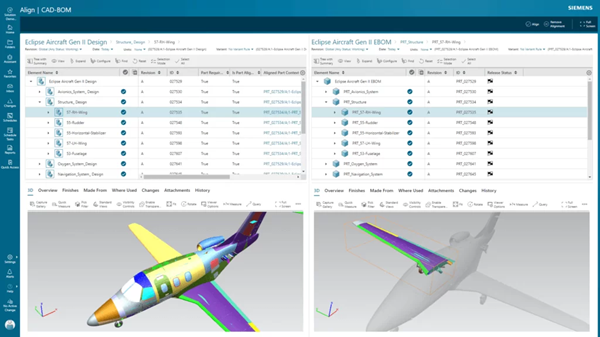
The bill of materials is the cornerstone of all product development processes, which over time are becoming increasingly complex, making it essential for engineering and production departments to work in highly collaborative environments and have information available at any time.
Technically, the E-BOM (Engineering BOM) is the way a product is designed, while the M-BOM (Manufacturing BOM) defines the ways in which the product is manufactured.
Request more information or your personalized quote