The benefits of a PLM system: Harness the power of design data to make better decisions

Product lifecycle management (PLM) systems enable comprehensive product data management throughout the entire lifecycle and are now indispensable for companies seeking to compete in any industry.
The PLM system creates a single environment (common repository) where all files related to the product or plant are stored and referenced, organized in a hierarchical structure that allows users both "top-down" and "bottom-up" navigation of it by being able to access all data and files related to the product and plant.
All data and files are stored by the PLM in an "electronic safe" called a "vault" where users cannot withdraw them except by accessing the PLM, which controls the access rights assigned to them according to user or user group profiling.
This allows data and files to be correct and up-to-date at all times with a backup to ensure that all company know-how is protected to the desired security standards.
Starting with the design, all assemblies developed with the 3D CAD system are used and the related tables are saved by the check-in operation within the PLM system and classified according to the logic defined by the company during the system configuration phase to facilitate subsequent searches by users from any department who need access to the data and files.
The "technical" categorization of assemblies and components is definitely a strategic aspect because it allows for efficient design by avoiding redesigning existing assemblies or components and easily finding similar ones from which to start a new design or to make even minor changes.
A proper classification of the product or plant tree with all families, subfamilies and end leaves defined by the company, depending on, in addition to facilitating research and avoiding redundancies and duplicates in design, also allows configuring an automatic coding of components with speaking or "semi-speaking" codes according to the logic desired by the company.
There are many features that PLM grants to design through direct integration with the various CAD systems: first and foremost, it retrieves at check-in the 3D assembly structure (a.k.a. parts list) to automatically generate a master list of related items in what we can call the first CAD BOM.
This CAD BOM can then be enriched on the PLM with other BOMs also from other CAD systems, both mechanical (M-CAD) and electrical/electronic (E-CAD): this is the fundamental concept of a multi-CAD PLM system i.e., with direct and native integrations with all CAD systems used in the company and now, as is increasingly the case, also of those used by external firms that collaborate with the company and by end customers that compete in the product development phase, to be able to manage a single BOM with all design components both mechanical and electrical, electronic and software.
To become a complete Engineering BOM, the PLM system allows you to add components not drawn on the CAD to the BOM, vary quantities, change levels (e.g., a subassembly purchase of multiple designed components involving a unique part number) and other operations without having to make these changes on the CAD system and edit the assembly files, i.e., you only work on the Engineering BOM without having to edit the CAD parts list.
The direct integration of the PLM system with CAD systems provides many benefits to designers who work better and decrease both design time and the quality of the design itself in line with business objectives, offering the following functionality and performance:
- It speeds up design because the PLM on opening (“check-out”) loads the assembly from its server into the local cache of the designer's client, and all subsequent saves become only for the actual changed parts instead of having to resave the whole assembly as is the case for companies working on the Windows Filesystem
- Significantly facilitates and speeds up the search for components by their functional geometric characteristics or materials to be used in the new assembly or similar ones to be modified only slightly, as defined in the classification fields: searches are very fast because they are done on the database and not on the Filesystem
- Safely manages “Concurrent or Simultaneous Engineering” that is, it allows multiple designers to work simultaneously on different subassemblies of the same assembly without risking overlapping changes on the same components
- Allows one to make a copy of an assembly and its E-BOM to design a similar new one with a different E-BOM by recovering in one fell swoop all the components that remain unchanged and their classifications and master data
- Allows you to exchange data and parameters with the CAD system bidirectionally such as keeping the material list managed on the PLM and importing the weight and volume of the component from the CAD system
- Manages design libraries that are thus uniquely available for the entire company and can be expanded and maintained simply by an administrator user
- Allows you to automate 2D table cartouches generated by automatically filling in cartouche fields (e.g. date, project code, author, approver, bill of materials, release status, etc…)
- Allows automatic generation (usually upon release of the assembly) of all neutral or viewable formats that the company needs to share with Customers and Suppliers, such as PDF, Iges, Step, Dxf, JT, etc.
- Allows the implementation of automatisms such as quick extraction of all neutral formats (e.g. PDF) and documents related to a product or job order to facilitate the user not having to select them one at a time
- Correctly manages Versions and Revisions of assemblies, components and tables, avoiding any kind of duplication and allows each assembly and component to go back to previous versions and check their history.
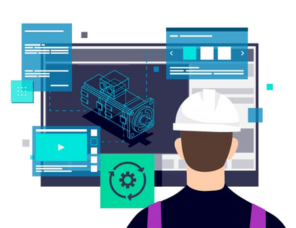
Concerning the functionalities needed to improve business performance in the design area that do not relate to the functionality of integration with CAD, the management of the approval flow (workflow) and the management of electronic documents that are linked to the product and the job order as an integral part of the product data such as the management of CAE simulation data, technical specifications, manuals, R&D area documents, images, videos, etc., can certainly be indicated..
The document management part, through the integration of PLM with the Microsoft Office suite, offers direct integration with Word, Excel, and PowerPoint, with great use of corporate template documents for writing data entered into PLM automatically within documents and for direct saving of the same directly from the Office tool interface. This also applies to integration with Outlook for managing emails and attachments that can be stored in the PLM linked to the product or job structure.
Also of note is the direct integration with Microsoft Teams, given today's widespread use of Teams also for sharing files and product or job order data to be stored within PLM.
The goal of a PDM (Product Data Management) system is to manage the technical data and information of a product (drawings, technical specifications, documentation, CAD models, BOMs, revisions, etc…).
The PDM software is a central, controlled repository where users access, edit and share information efficiently and securely and ensures the accuracy and consistency of data at all stages of the product development process.
Many of these features outlined so far for the PLM system are, in some cases, available on the evolved Product Data Management (PDM) systems.
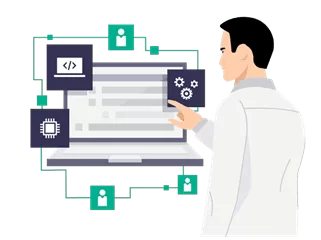
Why is it essential and strategic for companies today not to stop at PDM system functionality but instead adopt a complete PLM system? What are the real benefits that the PLM system offers the company?
First and foremost is Multi-BOM management, i.e., the ability to manage multiple BOMs on the PLM system such as the Engineering BOM (E-BOM), Manufacturing BOM (M-BOM), Service BOM (S-BOM) and any other BOMs that the company needs to manage.
Master records and relationships between master records, i.e., BOMs, are sent automatically to the ERP management system without any manual intervention generally when the BOM is issued. Data exchange with the ERP system can be either one-way or two-way to transfer data entered into the ERP system to the PLM.
There process management internal can be implemented on the PLM system starting from Change Management, that is the management of modifications, certainly one of the most critical processes in companies considering the number of modifications that products and systems undergo both in the development and industrialization phases, and during the entire life cycle, with the definition of the Engineering Change Management phases ( ECM ), Engineering Change Order ( ECO ) and Engineering Change Notice ( ECN ) to be able to manage both the modification and also always have available the history of the modifications with all the versions and revisions as well as all the information relating to the modification itself.
There are many important business processes that can be implemented on the PLM, such as Quality procedures consistent with the ISO certifications in place in the company through the management of the entire process and related documentation that allows the company with one or more certifications to easily respond to requests from certifiers during the certification renewal audit.
Other important processes include, for example, Problem Report for reporting problems encountered on the product or plant at any level, identification of solutions and related business decision making.
There are then specific processes depending on the industry sectors in which the company operates (Machinery, Aeronautics/Aerospace, Automotive, Engineering, Marine, Medical Device, Electronics, Consumer Goods, etc...), such as the management of FMEA and FMECA analyses typical of the automotive sector that can be easily implemented on PLM.

Another important functionality of PLM is Requirement Management, i.e., the requirements management needed when you want to define a new product or plant by defining the requirements, both functional and sustainability, ergonomic, etc. ... perhaps starting from the specifications or technical specifications provided by the Customer itself.
What turns out to be a function of PLM that is increasingly being used in companies and is playing a more strategic role is that of Reporting and Analytics, which allows automatic generation of reports and dashboards (dashboards) of any kind from cakes to histograms to documents with aggregate data such as BOMs to accompany drawings sent to suppliers:
Among the most commonly used automatic reports certainly is usually found the one on monitoring the progress of jobs updated in real time. This allows, once the criticality has been identified, to go directly into the stage of the process where the criticality occurred with all the data and attached documentation available.
Also the ability to keep track of the KPIs ("key performance indicators" i.e., key indicators for performance evaluation) identified by the company as indices that allow continuous monitoring on business performance to assess its progress in all those aspects that are critical and strategic for the company and are easily obtained through the use of the Report module that in addition to the data available on the PLM can also integrate data from other systems or company databases.
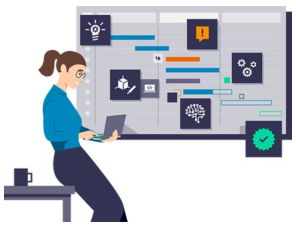
Another fundamental issue for companies working Engineering to Order (ETO) is the complete management of the Job Order starting from its WBS (Work Breakdown Structure) with the phases and enter as Project Management all the activities, the people in charge, the deliverables i.e., the output that each activity must provide also in terms of drawings and documentation to be completed and the timelines so that the complete Gantt chart for the entire job order is automatically obtained directly on the system.
The PLM also has direct integration with any project management systems used in the company, such as MS Project Professional or Primavera, and can retrieve all the information entered in these systems, such as WBS, activities, deliverables, and timelines to make them usable on the PLM allowing a direct link to the product structure and related documentation.
The sharing of data and files with Customers and Suppliers is also a key performance improvement element for companies, and PLM supports this process as well.
For collaboration with End Customers and Suppliers, it is possible either to connect to their PLM systems to directly upload the required data and files, or to create on their PLM specific accesses with limited permissions restricting the visibility on data and files to the strictly necessary according to company policy, and either to create optimized configurations for facilitated extraction of data and files to be provided to the Customer on their sharing platforms or vice versa to import with automatic procedure on the PLM data and files coming from the Customers or Suppliers themselves.
So what are the solutions on the market to manage the product lifecycle?
Siemens' Teamcenter is a world-leading software platform that offers a comprehensive, integrated solution for product lifecycle management (PLM) across a wide range of functionality, advanced and helps companies of all sizes improve collaboration, efficiency and innovation in all departments, from design in R&D, to industrialization, manufacturing, maintenance, and recycling and disposal. It's a Scalable and flexible PLM solution: Multi-CAD (it has direct integrations available with all the main CAD systems on the market such as: SolidWorks, Catia V5, Creo, Inventor, Autocad as well as the CAD systems developed by Siemens such as Solid Edge and NX), Multi-BOM (i.e. it allows the management of different and multiple Bills of Materials from Engineering to Production and Service), Multi-ERP (allows data exchange with all ERP systems or via certified connectors such as SAP, or via the various data exchange methods between systems) and Multi-Site (i.e. the possibility of managing data and files that are always secure and up-to-date across different company locations, including abroad) which can be adapted to the specific needs of any company, from SMEs to large corporations, and helps them achieve their strategic objectives.